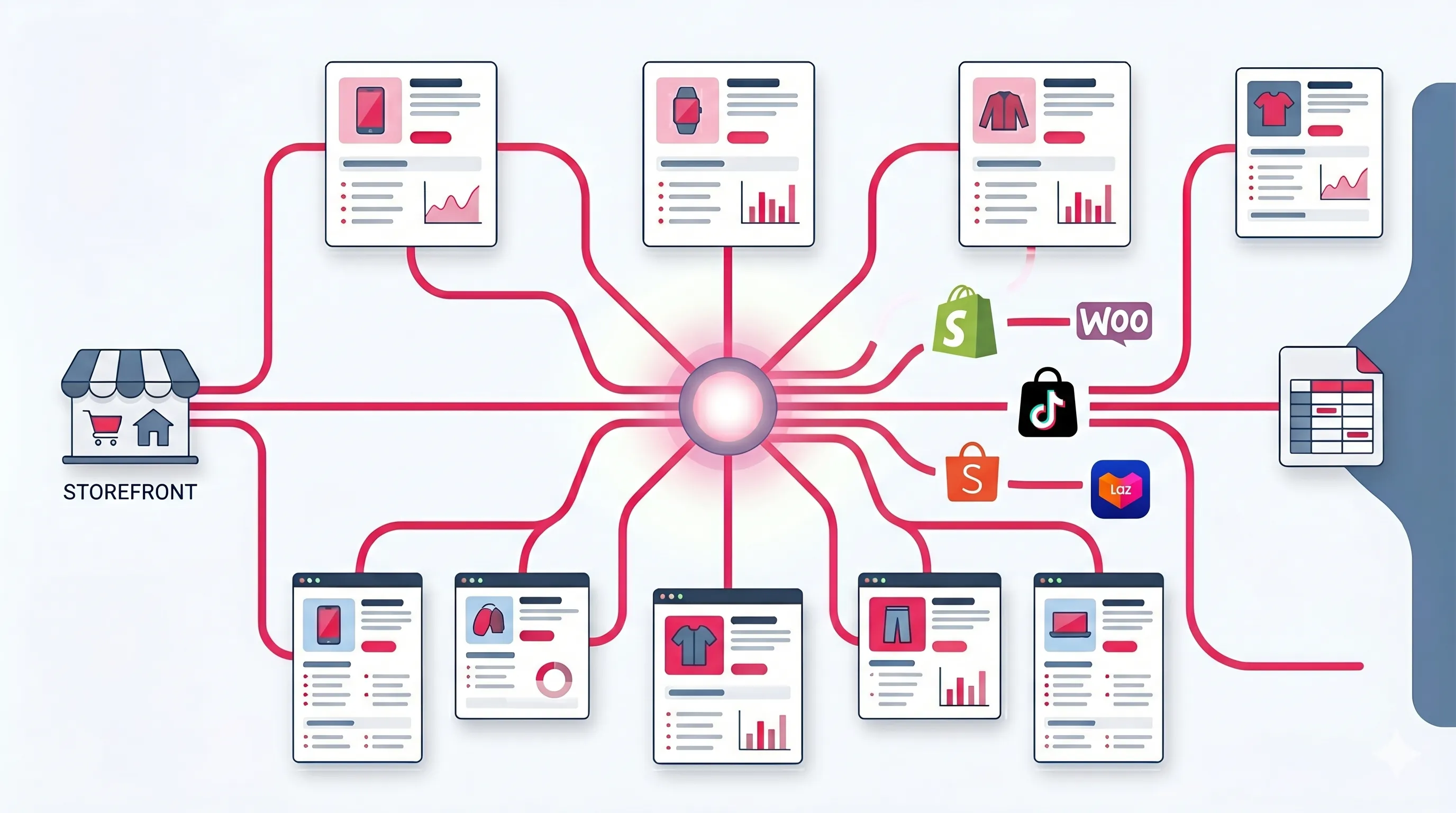
Your Catalog Is Growing, and the Problems Are Growing With It
You’re managing hundreds or thousands of products. Each one needs accurate titles, descriptions, images, pricing, and technical specs. Every sales channel wants that data in a slightly different format, on its own schedule.
If you’re handling this with spreadsheets or by logging into each storefront separately, you already know the cost: data falls out of sync, updates take hours instead of minutes, and every new channel you add creates a new place for things to break.
B2b catalog software solves this at the root. The right platform keeps your product data accurate, structured, and ready to publish across every channel without manual reconciliation. This guide is for buyers who are close to a decision. We cover what to look for, how Sellufy addresses each requirement specifically, what the pricing looks like, and what you can realistically expect in your first 30 days.
What to Look for in B2B Catalog Software
Not every catalog management software is built for the same type of business. Enterprise tools designed for large organizations are often overengineered, expensive to implement, and slow to deliver value. Lightweight tools built for simple stores often hit a ceiling at a few hundred SKUs.
If you’re an SMB ecommerce seller managing a growing catalog, here is what actually matters:
1. Native channel integrations Your catalog software should connect directly to your sales channels. If Shopify and WooCommerce are your primary storefronts, those connections should be built into the platform, not assembled from third-party middleware or custom API work.
2. Centralized attribute management Define your product attributes once. Map them to each channel’s required fields. Update in one place and push everywhere. Any serious b2b product management tool is built around this principle.
3. Bulk editing and import tools Updating products one at a time is a bottleneck. Look for a platform that supports bulk editing, CSV import, and field mapping applied at import time.
4. Data quality scoring You need to know which products are complete and which are missing critical fields before you publish. A completeness score surfaced inside the platform saves you from rejected listings and customer-facing errors.
5. Team permission controls When multiple people touch your catalog, you need to control who can do what. Agencies, contractors, copywriters, and product managers all need different levels of access.
6. Transparent pricing If a vendor requires a sales call before telling you what their product costs, that is a signal. Look for published pricing with no hidden per-user fees or feature paywalls.
How Sellufy Solves Each of These Problems
Sellufy is b2b catalog software built specifically for SMB ecommerce sellers. Here is how it handles each requirement above.
Shopify and WooCommerce Are Built In
Shopify and WooCommerce are native integrations in Sellufy, not add-ons or third-party connectors. When you connect your store, product sync and channel-specific field mappings work inside the platform without any custom development. This is what pim for shopify looks like when it is done right: one connection, full control, no middleware.
Centralized Attribute Templates
You define your product attributes once in Sellufy. Then you map them to each channel’s required fields. When you update a product, every connected channel receives the change. No duplicate data entry. No versioning conflicts. This is the core promise of any solid b2b product management tool: one source of truth that pushes everywhere.
Bulk Editing and CSV Import
Sellufy supports bulk editing across your entire catalog and accepts CSV and Excel imports with field mapping applied at import time. You can update pricing, descriptions, images, and categories across thousands of products in minutes.
AI-Powered Completeness Scoring
Every product in Sellufy receives a completeness score based on your attribute template. You can filter your catalog by score, spot gaps before publishing, and trigger AI enrichment to fill missing descriptions, categories, and tags in bulk rather than one product at a time.
Flexible Team Access Controls
Most ecommerce catalog operations involve more than one person. You have internal editors, external agencies, freelance copywriters, and sometimes brand partners all touching the same catalog. Giving everyone admin access is a liability. Giving everyone read-only access means nothing gets done.
Sellufy’s permission model is built for this reality. You define exactly what each person or role can see and do, down to which brands, categories, or channels they can access. An agency can import new products without being able to delete or publish live listings. A contractor can edit copy for one brand without touching another. Access matches the job, not just the job title.
This level of control is available from the Professional plan and requires no additional configuration tools or IT involvement to set up.
Fully Published Pricing
Sellufy’s pricing is on the website. It starts at free. It scales in predictable increments. No sales calls required to get a number.
B2B Catalog Software Comparison: Enterprise Tools vs. Sellufy
| Feature | Enterprise Catalog Tools | Sellufy |
|---|---|---|
| Shopify integration | Add-on or middleware | Native, built-in |
| WooCommerce integration | Add-on or middleware | Native, built-in |
| Free plan | Rarely available | Yes (up to 50 products) |
| Entry-level price | $250 to $2,500+/mo | From $9/mo |
| AI data enrichment | Separate purchase | Built-in add-on |
| Transparent pricing | Often hidden | Fully published |
| Setup time | Weeks to months | Same day |
| ABAC team permissions | Enterprise tier only | From Professional plan |
| Bulk editing | Yes | Yes |
| Data completeness scoring | Varies | Yes, built-in |
Enterprise catalog management software is designed for companies with dedicated IT teams, implementation budgets, and months to spare before the platform is operational. Sellufy is designed to be running the day you sign up. If you are a team of 2 to 50 people managing a real product catalog, the feature set maps directly to your actual workflow.
Sellufy Pricing: What You Pay, and What You Get
Sellufy’s pricing is fully transparent. No surprises on the invoice.
| Plan | Monthly | Products | AI Credits | Best for ecommerce |
|---|---|---|---|---|
| Free | $0 | 50 | None | Testing before committing |
| Growth | $9/mo | 250 | Add-on | Single Shopify or WooCommerce store |
| Scale | $39/mo | 5,000 | 500/mo included | Multi-channel sellers scaling SKU count |
| Professional | $199/mo | 50,000 | 2,000/mo included | Agencies and brands managing multiple stores |
ROI context: If your team currently spends 10 hours per month reconciling product data across channels, that time is worth significantly more than $9/month. Most users recover the cost of the Growth plan within the first week. The Scale plan at $39/month becomes the obvious choice once your catalog grows past a few hundred SKUs or you are selling across more than two channels.
No per-seat charges on base plans. No surprise fees for adding channels. No features visible in the demo but gated behind a higher tier in practice.
What Sellufy Users Are Seeing
Teams using Sellufy for product catalog management are reporting consistent outcomes:
- Sellers who previously spent 3 to 5 hours per week on manual product updates have reduced that to under 30 minutes after setting up Sellufy’s channel mappings.
- Shopify store owners are syncing catalog updates in real time with no custom development work.
- Catalog completeness scores at import often sit between 40 and 60 percent. After one AI enrichment pass in Sellufy, those scores typically reach 85 to 95 percent, significantly reducing rejected listings on connected channels.
- Product managers report that onboarding a new contractor or agency partner now takes minutes, not a full day of access configuration.
Ready to Try the Best B2B Catalog Software for Your Store?
Sellufy is built for SMB ecommerce sellers who need professional-grade catalog management without enterprise overhead. Three ways to get started today:
Option 1: Start free Manage up to 50 products at zero cost. No credit card required. Connect your Shopify or WooCommerce store and see how the catalog workflow fits your team before committing to anything.
Start Free — No Credit Card Required
Option 2: Start on the Growth plan $9/month gets you 500 products, native Shopify and WooCommerce sync, bulk editing, and completeness scoring. The right starting point for solo operators and small teams ready to move past spreadsheets.
Start the Growth Plan for $9/mo
Option 3: Book a demo If your catalog is large or your team structure is complex, a 15-minute walkthrough will show you exactly how Sellufy maps to your workflow.
Frequently Asked Questions
Is Sellufy b2b catalog software, or does it also work for B2C sellers?
Sellufy works for both. The core features channel publishing, bulk editing, team permissions, and data enrichment apply to any seller managing a real product catalog at scale. B2B sellers benefit specifically from structured attribute templates, access control for reseller catalogs, and multi-channel distribution workflows that maintain data consistency across every touchpoint.
How is Sellufy different from managing products directly inside Shopify or WooCommerce?
Managing products inside each storefront means duplicating work every time something changes. Sellufy acts as the single source of truth: you update once, and the change syncs to every connected channel. It also adds data quality scoring, AI enrichment, and team permissions that individual storefronts do not offer. This is what dedicated catalog management software enables that platform-native product editors cannot match.
Does Sellufy support large catalog volumes?
Yes. The Scale plan supports up to 5,000 products. Professional and Enterprise plans support unlimited products. Bulk import, bulk editing, and AI enrichment are all designed to handle large catalog volumes efficiently, and the platform does not slow down as your SKU count grows.
What is the difference between Sellufy and enterprise catalog management software?
The main differences are price, implementation time, and target user. Enterprise tools are designed for large organizations with dedicated PIM managers and IT teams. Implementation is typically measured in weeks or months. Sellufy is designed to be set up in hours by the people actually running your ecommerce operation, at a price that fits an SMB budget. You get the same core capabilities centralized data, channel publishing, access controls without the overhead.
What happens when I need to upgrade my plan?
You can upgrade at any time from within your account. All your data, integrations, attribute templates, and channel configurations carry over automatically. There is no migration process or setup work required when moving between plans.